
For Clients: Setting a Default Credit Card
When you have multiple cards saved in your client portal, designating a default card ensures your provider charges your preferred payment method.
How to Set Your Default Card
- Log in to your portal and navigate to the Billing tab.
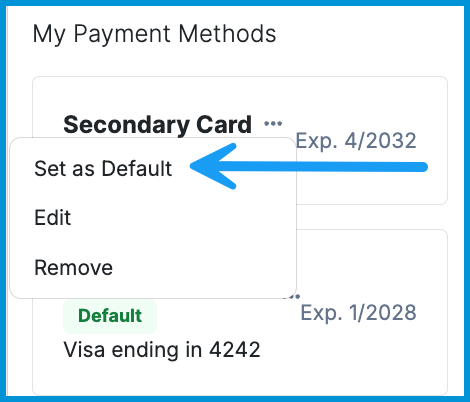
- Locate the My Payment Methods section in the right-hand panel.
- Click the three-dot menu (...) next to the card you wish to make primary.
- Select Set as Default.
Note: If you need to add a new card before setting it as default, please refer to our guide on Adding, Removing and Labeling Payment Methods.
Should you need additional support or have questions, please reach out to your provider or contact support@sessionshealth.com.